AI Fashion Video Generator: Turn Product Photos Into Video Ads (2026)
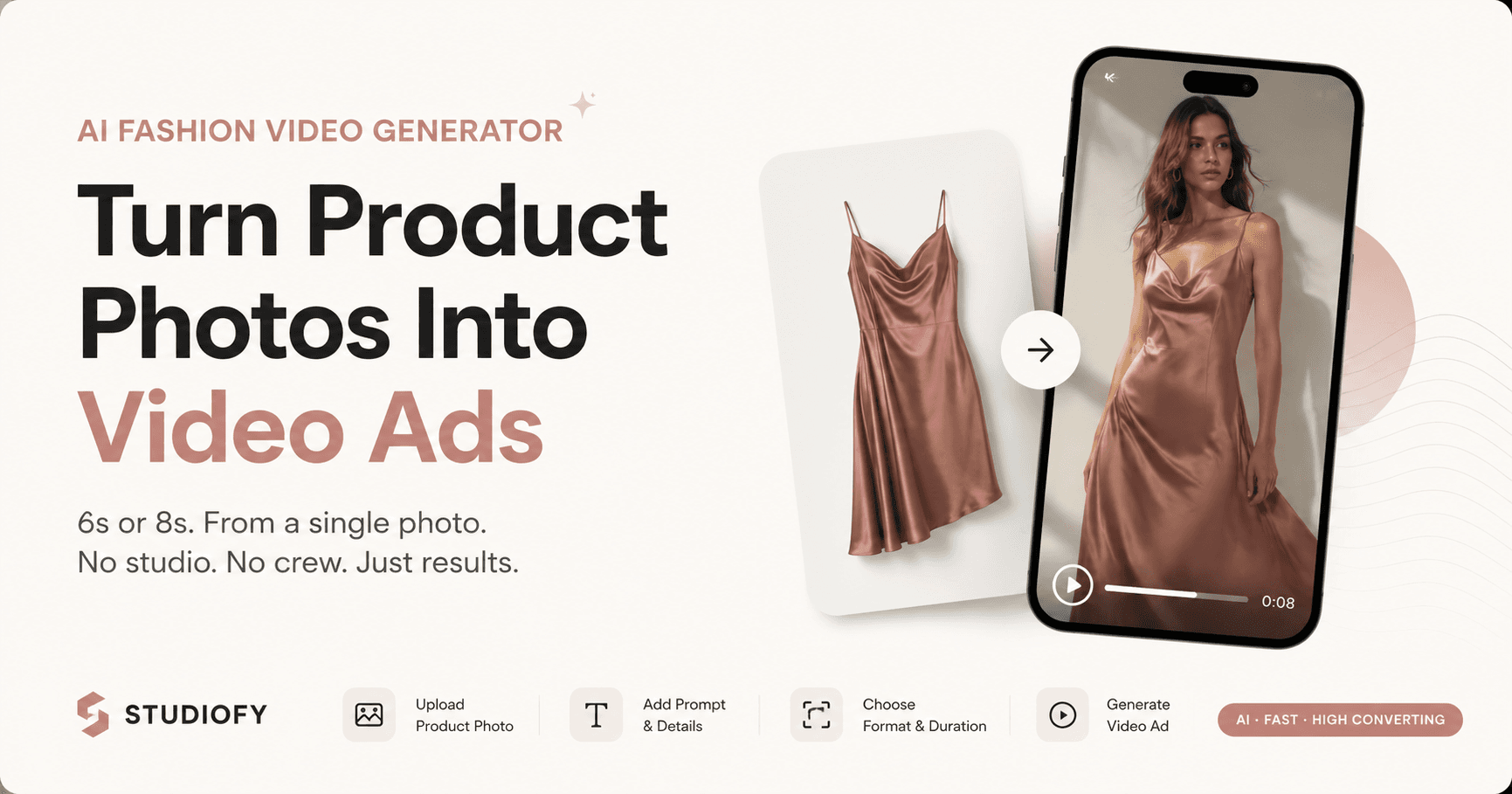
Product video has moved from a nice-to-have to a conversion essential. On TikTok Shop, Instagram Shopping, Amazon product pages, and Meesho, video content consistently drives higher engagement, longer dwell time, and stronger conversion than image-only listings. The problem: producing professional fashion product video has been even more expensive and logistics-intensive than producing professional photography — crews, models, locations, multiple shooting days, and expensive post-production.
AI video generation has changed this. The same product photograph that serves as input for an AI model image can now also serve as input for a 6-second or 8-second AI-generated fashion video — a platform-native, motion-format piece of content that serves Reels, TikTok, product pages, and social ads, generated on a phone in seconds.
FEATURED SNIPPET
How do you turn a product photo into a fashion video?
Upload your product photo to an AI fashion video generator like Studiofy. Write a prompt describing the video you want — model motion, setting, mood. Set the aspect ratio (9:16 for Reels/TikTok, 1:1 for feed, 16:9 for product pages) and duration (6 or 8 seconds). Studiofy generates a short fashion video from your product photo — ready to download and publish. No crew, no model, no studio, and no post-production editing required. The same product photograph used for your marketplace listing can generate both an on-model image and a video ad.
Why Video Now Matters for Fashion Ecommerce
Fashion is a movement category. A garment's drape, flow, movement, and weight — the properties that determine how it actually feels to wear it — are invisible in a static photograph. Video communicates these properties directly. A saree in motion shows its weight and how it drapes. A flowing dress in a gentle wind shows its lightness and how it moves with the body. Compression leggings in a squat position show the fabric's performance under load in a way that even a well-posed static image cannot fully replicate.
Short-form video is the dominant content format on the platforms where the most fashion discovery now happens: TikTok, Instagram Reels, YouTube Shorts. Fashion brands that are not producing video content at meaningful volume are invisible on these platforms — regardless of how strong their photography is.
Platform Video Requirements for Fashion Brands
How to Write an Effective AI Video Prompt for Fashion
The prompt is your direction to the AI — it describes what kind of video you want generated from your product image. The more specific and relevant the prompt, the better the result.
Include the model context — Describe the type of model movement or presence: 'model walking slowly showing the full drape of the garment', 'model in squat position demonstrating compression fabric', 'close-up showing fabric movement'
Include the setting — Describe the environment: 'bright studio setting with clean white background', 'outdoor urban setting with natural light', 'festive interior with warm lighting'
Include the mood — Describe the emotional tone: 'clean and minimal', 'aspirational and fashion-forward', 'energetic and performance-focused', 'warm and festive'
Include the motion type — Describe what should move: 'fabric in gentle motion', 'model turning to show back view', 'close-up of fabric texture'
AI Video Generation Workflow: From Product Photo to Published Ad
Select Your Product Photo
Choose a product photo with good lighting and clear product visibility — the same image you use for your marketplace listing or AI model image generation.
Open Studiofy Video Feature
Open the Studiofy app on your Android or iOS phone. Navigate to the Video generation feature.
Write Your Prompt and Set Parameters
Write a prompt describing the video. Set aspect ratio to match your target platform: 9:16 for Reels and TikTok, 1:1 for feed. Set duration: 6 or 8 seconds.
Generate
Tap generate. Studiofy produces the video from your product photo. Review the result — check for product accuracy and visual quality.
Download and Publish
Download the generated video. Upload directly to Instagram Reels, TikTok, or YouTube Shorts for organic content. Use as ad creative in Meta Ads Manager or TikTok Ads Manager for paid promotion.
AI Video vs. Traditional Fashion Video Production
Combining AI Images and AI Video: The Complete Visual Commerce Strategy
Studiofy's AI image and AI video features work from the same product photograph. In a single workflow, a seller can produce: a white-background compliance image for marketplace primary listing, an on-model image for conversion in the listing gallery, and a 6 or 8-second video for Reels, TikTok, and product page content. All three from the same product photo, in the same session, on a phone.
One product photo — three content types: (1) compliance image, (2) on-model conversion image, (3) video ad for social. The complete visual commerce content set — without a studio, model, or crew.
Common AI Video Mistakes for Fashion Sellers
Producing video at only one aspect ratio — A video shot or generated in 16:9 horizontal format cannot serve Reels or TikTok (9:16 vertical) without a crop that cuts the product in half. Plan aspect ratios before generation and produce the format your primary platform requires.
Writing a generic prompt — A vague prompt like 'fashion video' produces generic results. Specific prompts — describing model context, motion type, setting, and mood — produce video that is aligned to your brand and product.
Not checking video for product accuracy — As with AI model images, always review generated video for accurate product representation before publishing as paid advertising. An inaccurate representation creates buyer misexpectations.