How to Sell Clothes Online Without a Model (2026): On-Model Photos Without a Photoshoot
Every seller of clothing hits the same wall.
You have the product. You know it looks good. You know buyers need to see it worn. But you don't have a model. You can't book a studio. You can't afford a photographer. And the flat lay you shot on your kitchen table doesn't do the garment any justice.
This used to be an insurmountable problem for small fashion sellers. On-model photography meant a model, a studio, a photographer, a makeup artist, and a full day's shoot — costs that made sense for a brand doing serious volume, and made no sense at all for a boutique with 20 SKUs.
That is no longer true.
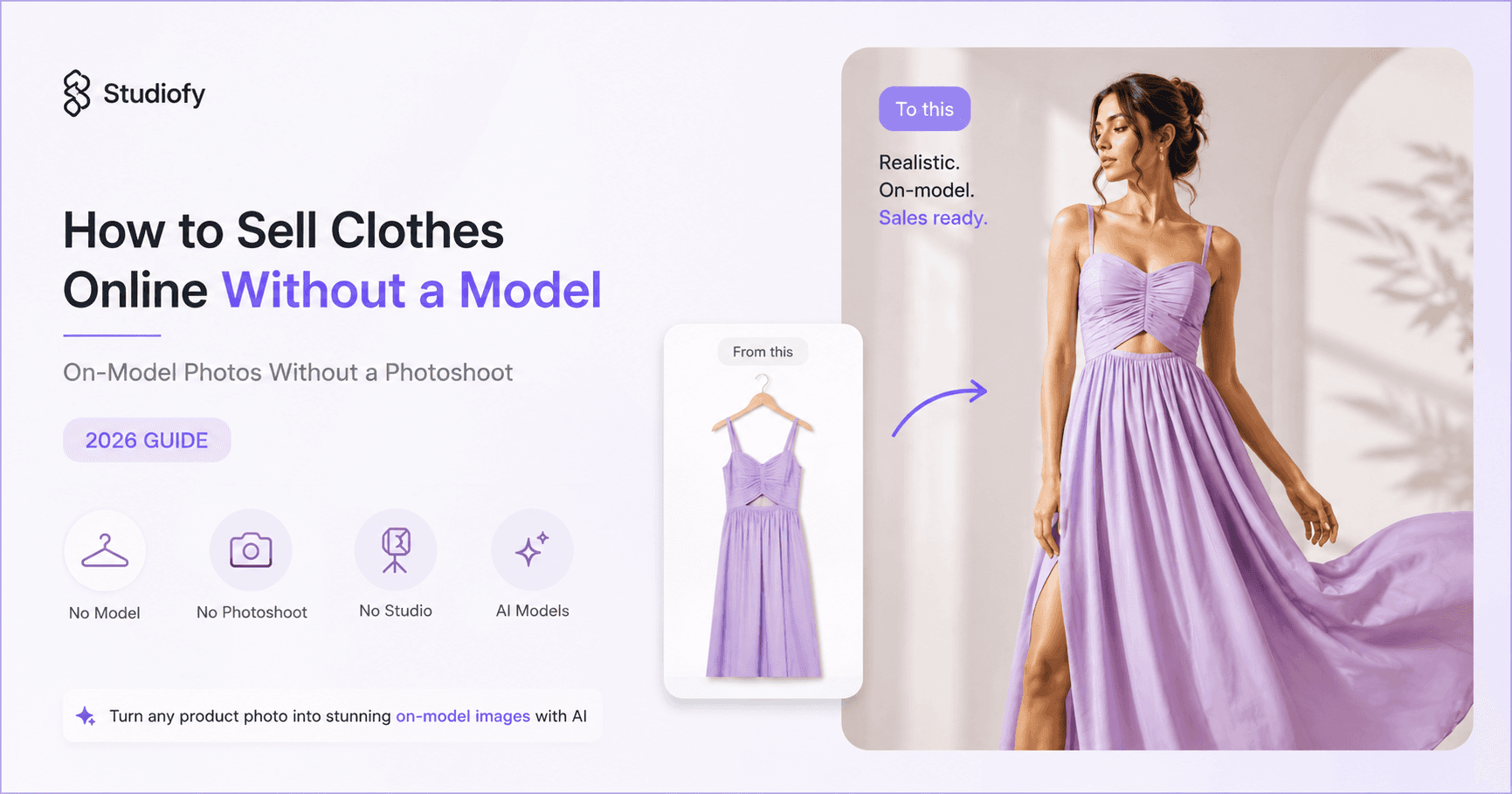
AI model photography has changed the economics completely. You no longer need a model to show clothes being worn. You need a clean product photo — a flat lay, a hanger shot, a white-background picture — and a tool like Studiofy. The result is photorealistic imagery of your actual garment, in its actual colour and fabric, shown on a human body, in a setting and pose you choose. In 10 to 15 minutes per product. At a fraction of the cost of a single model booking.
This guide covers every method for photographing clothes without a model — what works, what does not, and why AI model photography consistently outperforms every alternative.
FEATURED SNIPPET
How do you sell clothes online without a model?
There are four main methods for selling clothes online without a model: flat lay photography (garment laid on a surface — cheap, but no fit or drape), hanger photography (quick, but no body shape), ghost mannequin photography (shows 3D shape, but no human body context), and AI model photography (converts a flat lay into a photorealistic on-model image showing how the garment looks worn, without a model, studio or photoshoot). Of these, AI model photography — using tools like Studiofy — is the only method that produces genuinely on-model imagery at low cost and at scale, and it consistently outperforms the other three methods on conversion because fashion buyers are buying a look, not a fabric. To use it: take a clean flat lay or hanger shot, upload to Studiofy, choose your model and setting, and generate photorealistic on-model images and short product video ads.
Studiofy At a Glance
Do You Actually Need a Model?
The question is not whether you need a model. The question is whether you need on-model imagery.
For most fashion categories, the answer is yes — emphatically. Buyers are purchasing a look, not a fabric. They want to know how the garment falls, where the waist sits, how the hem lands, whether the sleeve has the right proportion. A flat lay answers none of those questions. A ghost mannequin answers them partially. An on-model image answers all of them.
Dresses and skirts — how the fabric falls, the silhouette, hem length relative to a body — none of this is visible in a flat lay
Swimwear and resort wear — nobody has ever bought a bikini from a flat lay in the history of ecommerce
Occasion and evening wear — drape, movement, silhouette — all invisible without a body
Activewear and leggings — fit around the thigh, waist band height, length — only visible on a body
Knitwear — how chunky versus fitted, how far the hem falls, how it sits on the shoulder
Jackets and coats — shoulder fit, length relative to body, how it layers
Ethnic wear — drape and fall of a saree, volume of a lehenga, length of a kurta — entirely dependent on body context
For these categories, you don't need a model. But you need on-model imagery.
Flat lay photography is genuinely acceptable for a small number of categories: graphic T-shirts sold primarily on the print, accessories like belts and ties, folded homewares. For everything else, on-model imagery converts better — consistently.
The Four Methods Compared
Method 1: Flat Lay Photography
You lay the garment flat on a clean, neutral surface and photograph it from directly above. Style the fabric to look natural — arms out, collar spread, no heavy folds.
Cost — very low — a clean surface, even lighting (window light works), and a smartphone
Speed — fast once you have a consistent setup
Shows fit? — no — shows shape, not how it fits a body
Shows drape? — partially — depends on fabric and gravity
Converts? — significantly below on-model for most categories
Best for — accessories, graphic tees, folded products, homewares — anything where body context is not the primary decision factor
Method 2: Hanger Photography
The garment hangs on a plain hanger, photographed against a white or neutral background. Quick. Minimal setup. Works reasonably for some tops and outerwear.
Cost — very low
Speed — very fast
Shows fit? — no — shows the garment hanging, which is a very different shape than worn
Shows drape? — partially for some fabrics
Converts? — below flat lay for most fashion categories — hanger shots look amateur on most marketplaces
Best for — quick internal catalogue shots; generally not recommended for customer-facing listings
Method 3: Ghost Mannequin Photography
Dress a real mannequin in your garment, photograph it (often with multiple shots — inside out for the neck and armhole), then remove the mannequin in post-production to create a hollow, floating garment effect.
Cost — moderate — requires a mannequin (₹3,000–₹20,000+ for a quality adjustable one), photography setup, and post-production editing time
Speed — moderate — mannequin dressing and editing is time-consuming
Shows fit? — better than flat lay — shows how the garment sits on a 3D form
Shows drape? — partially — a mannequin is rigid, not a moving body
Converts? — better than flat lay, significantly below on-model
Best for — tailored garments (shirts, jackets, structured dresses) where the 3D shape matters and a brand does not want a human model on its imagery
Method 4: AI Model Photography (Recommended)
Upload a flat lay, hanger shot or white-background photo to an AI model photography tool like Studiofy. The tool generates a photorealistic image of a human model wearing your actual garment — its real colour, cut, fabric and drape — in a pose and setting you choose.
Cost — low — a mobile app subscription, no studio, no model fees, no photographer
Speed — 10–15 minutes per product
Shows fit? — yes — shown on a human body
Shows drape? — yes — photorealistic rendering of actual fabric behaviour
Converts? — matches or exceeds professional model photography for most categories
Best for — every fashion category where on-model imagery drives conversion — which is most of them
Method Comparison at a Glance
How to Get On-Model Photos Without a Photoshoot: Step by Step
Take a clean input photo
Lay your garment flat on a clean white or light neutral surface, or hang it on a plain hanger against a white wall. Even lighting — natural window light or two diffused artificial lights. Shoot from directly above (flat lay) or straight on (hanger). No heavy shadows, no visible dirt or wrinkles. The cleaner the input, the better the AI model output.
Upload to Studiofy
Open the Studiofy app (Android or iOS) and upload your product photo.
Choose your model and setting
Select a model appearance, pose and setting appropriate for your brand and your buyer. A swimwear label, a formal occasionwear brand, and a streetwear label all need different imagery — different body types, different poses, different environments.
Generate photorealistic on-model images
Studiofy generates photorealistic images showing your actual garment — its real colour, cut, drape and fabric — worn on a human body. You get multiple images: front, three-quarter, detail.
Generate short video ads
From the same product image, generate 4-second, 6-second and 8-second product video ads for Instagram, TikTok, paid social and marketplace video slots.
Verify accuracy and publish
Compare the generated images against the physical garment. Check colour, cut and detail accuracy. Every platform requires that images faithfully represent the actual product — verify before listing.
A note on getting a good input photo: the most common mistake that produces a poor AI output is a flat lay shot with uneven lighting (one side brighter than the other), a busy background (patterned fabric or wood grain instead of white), or a garment that is heavily wrinkled. Spend 5 minutes steaming the garment and setting up a clean background before you photograph it. This single step produces the biggest quality improvement in the final output.
Where This Works: Platform by Platform
Amazon and Amazon Global Selling
Amazon's main image requirements: white background, product fills 85% of the frame, no additional objects, no text or logos. For fashion, Amazon strongly recommends on-model photography for main and supplemental images. On-model imagery is not just allowed — it is what the platform's conversion data shows outperforms everything else. Amazon does not ban AI-generated imagery; it requires accuracy.
Meesho and Flipkart
Both platforms use algorithmic ranking that factors in image quality and completeness. On-model images on Meesho and Flipkart consistently outperform flat lays on impressions and conversion. Neither platform bans AI-generated imagery as of 2026. Meesho's image guidelines recommend lifestyle and on-model photography for fashion categories. Our Meesho and Flipkart photography guide covers the specific requirements in full.
Myntra and Ajio
Myntra explicitly requires on-model photography — front and back shots of a model wearing the garment are mandatory for most fashion categories. Ajio has similarly strict image requirements. AI model photography that accurately represents the product meets these requirements. Our Myntra guide and Ajio guide cover the specific specs in full.
Etsy
Etsy has no mandatory image specifications for fashion, but its conversion data is clear: listings with on-model, lifestyle and video imagery significantly outperform listings with flat lays alone. Etsy buyers are buying a look and a story — on-model imagery sells both. AI model photography is particularly effective for Indian artisan and ethnic fashion on Etsy, where the visual presentation gap between Indian sellers and Western brand competitors has historically been significant.
Zalando
Zalando has Europe's strictest image requirements: a white packshot as main image, model photography on a plain light grey background as supplemental, model must be wearing shoes, mandatory front and back shots. Zalando does not ban AI-generated imagery, but the accuracy requirement is strict and the Content Score system rewards complete, consistent image sets. AI model photography must meet the full spec to qualify.
Skroutz (Greece) and comparison marketplaces
On comparison-led marketplaces like Skroutz and BestPrice, price competition converges quickly and the listing — the imagery — becomes the tiebreaker. On-model photography is the single most effective lever on these platforms because it is the one variable buyers use when price is level. Our Greece guide covers this in detail.
Instagram and TikTok
Visual platforms reward visual content. On-model images and video consistently outperform flat lays on both organic reach and paid ad conversion. Studiofy generates both the images and the 4-second, 6-second and 8-second video ads. Instagram Shopping and TikTok Shop are increasingly important commerce channels — and they are entirely driven by how the garment looks.
Shopify D2C
Your own store gives you full control over imagery. On-model photography on a consistent background with consistent lighting (which Studiofy provides by default — you select the setting) creates a brand-coherent look across your entire catalogue. Video on product pages drives significant conversion improvements, particularly on mobile, where most fashion D2C browsing happens.
A Note on Doing This Honestly
Every platform applies the same accuracy standard to AI-generated images and conventional photographs: the image must faithfully represent the actual product. This is not a restriction on AI imagery — it is the same rule that applies to all product photography.
Studiofy generates images from your real garment — the actual colour, cut, fabric and drape — not from a generic template. That makes the output inherently accurate to the product.
The practical check is simple: compare the generated image against the physical garment before you publish. If the colour looks significantly different, do not list it until it matches. This protects you: a return because the garment looks different from the image costs more — in return logistics, lost margin and review damage — than the time it takes to verify.
Common Mistakes When Photographing Clothes Without a Model
Busy backgrounds — A patterned tablecloth, wood grain, or carpet behind your garment makes the product harder to see and makes the AI output worse. White or plain neutral backgrounds only.
Uneven lighting — One window creating a bright side and a dark shadow side. Use two light sources on either side, or shoot in a large north-facing window where the light is diffused.
Heavy wrinkles — Steam or iron your garments before photographing. A wrinkled garment in the input produces a wrinkled-looking output.
Flat lay for swimwear and occasion wear — A bikini flat lay and an evening dress flat lay do not sell. These categories require on-model imagery — which is exactly what Studiofy provides.
Publishing without accuracy verification — Always compare the AI-generated image against the physical garment before listing. Check colour especially — this is the most common source of returns and negative reviews.
Hanger shots for customer-facing listings — Hanger shots look amateurish on almost every platform. Flat lays are better; on-model images are best.
One image per product — Every major marketplace recommends 5–8 images per listing — main shot, front model, back model, detail shot, lifestyle or setting, size guide. Studiofy gives you multiple angles from a single upload.
Ignoring video — Video drives significant conversion improvements, particularly on Instagram, TikTok and mobile marketplaces. Studiofy generates 4-second, 6-second and 8-second video ads from your product image.
Inconsistent backgrounds across SKUs — A catalogue where every product has a different background, different lighting and different model appearance looks like a different brand for each garment. Choose a consistent model and setting for your whole catalogue.
Buying a mannequin instead of using AI — Ghost mannequin photography requires a mannequin purchase, post-production editing time, and still produces images that convert below on-model photography. AI model photography costs less, takes less time, and produces better output.
Frequently Asked Questions
You Have the Clothes. Now Show Them Worn.
The problem was never the clothes. It was always the image. The flat lay that doesn't show the drape. The hanger shot that doesn't show the fit. The ghost mannequin that floats on the page looking like a hollow person.
Fashion buyers are not buying fabric. They are buying how they will look. They need to see the garment worn — the silhouette, the fall, the proportion. And until recently, showing them that meant booking a model, a studio, a photographer, a makeup artist. A full day. A substantial invoice.
You no longer need any of that.
Take a clean flat lay. Upload it to Studiofy. Choose your model. In 10 to 15 minutes, you have photorealistic on-model imagery — your real garment, its real colour and drape, shown on a human body. Plus 4-second, 6-second and 8-second video ads for Instagram, TikTok and everywhere else.
Upload your flat lay. Choose your model. Show your clothes the way the buyer needs to see them — worn.
Look Like a Brand.
Start creating on-model AI images and video ads from your flat lay today — no studio, no model, no photoshoot.