Shopify Product Photography: The Complete Guide for Fashion Brands and Ecommerce Stores (2026)
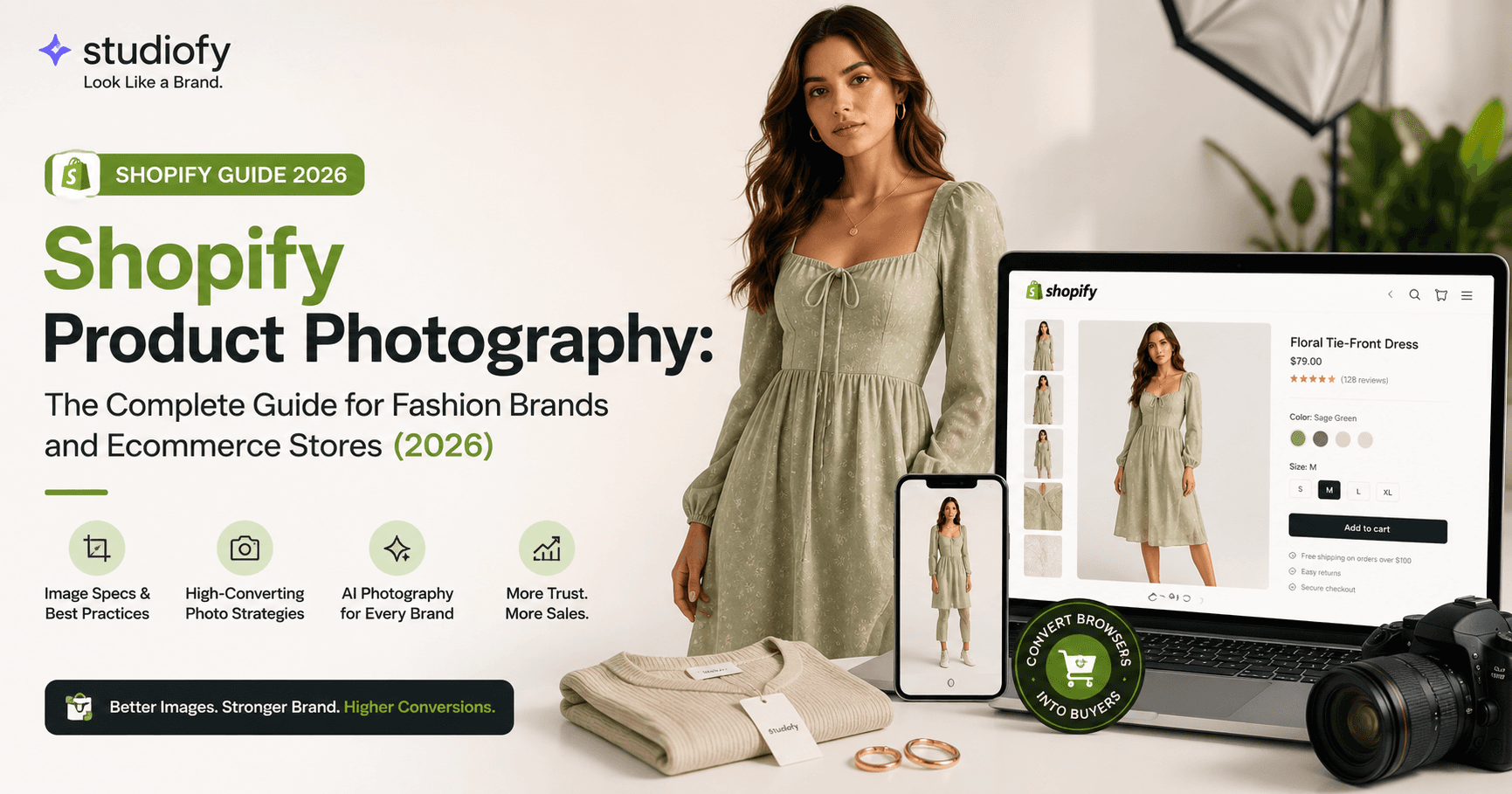
Your Shopify store is not a catalog. It is a sales environment.
Every element on a product page — the headline, the price, the reviews, the description — exists to support one outcome: the buyer clicking Add to Cart. And the single element that does more of that work than everything else combined is your product photography.
For fashion brands, apparel sellers, jewellery brands, eyewear brands, footwear brands, and anyone selling a wearable or visually evaluated product on Shopify — getting product photography right is the highest-leverage investment in your entire store.
FEATURED SNIPPET
What is the best product photography approach for a Shopify fashion store?
For a Shopify fashion store, the highest-converting product photography approach combines a primary on-model image showing fit and real-world appearance, supported by a detail shot, an alternate angle, and a lifestyle or context image. Images should be at least 2048 × 2048 pixels, square or portrait format, with consistent lighting and background across the entire catalog. AI product photography tools like Studiofy allow Shopify sellers to generate photorealistic model images from a single product photo in seconds, without a studio or photoshoot.
Studiofy At a Glance
Why Product Photography Is the Most Important Element on Any Shopify Product Page
Online buyers cannot touch, try on, or physically inspect a product before purchasing. Everything they know about your product comes from what they can see on the page. In that environment, your product images are not supporting content — they are the product experience itself.
On Shopify specifically — where you own the entire customer experience, unlike on Amazon or Flipkart where marketplace templates constrain your presentation — your product photography is also your brand identity. Every image communicates not just "here is the product" but "here is who we are."
Shopify Product Image Technical Requirements
Resolution & Dimensions
- →Recommended minimum: 2048 × 2048 px (square) — enables Shopify's zoom feature
- →Portrait format: 2048 × 3072 px (2:3 ratio) — strongly recommended for fashion and mobile
- →Absolute minimum: 1024 × 1024 px (zoom quality degrades below 2048)
- →Max file size: 20MB — practical target: 1–3MB after compression
File Format
- →JPEG — best for photography; smaller file size, excellent quality
- →PNG — for transparent backgrounds or infographic overlays
- →WebP — Shopify serves this automatically; upload JPEG and Shopify converts
Aspect Ratio
- →Choose one ratio — square (1:1) or portrait (2:3) — and apply it across the entire catalog
- →Inconsistent ratios make collection grids look uneven and unprofessional
- →Portrait (2:3) fills more mobile screen — preferred for fashion
Background
- →Shopify does not require white — choose what suits your brand identity
- →White is the most versatile and most commonly used choice
- →Dark or textured backgrounds work well for premium and luxury positioning
- →Consistency across all hero images matters more than the specific colour
The Shopify Fashion Product Image Set: What to Include Per Product
Shopify allows up to 250 images per product. In practice, the most effective fashion product pages use 4 to 8 images that answer every buyer question without overwhelming the page.
Your first product image appears in your collections grid, in social media link previews, in Google Shopping if you run paid ads, and in any influencer or UGC content that links to your product. For fashion and apparel, an on-model hero image significantly outperforms a flat lay in collections grid click-through rate — because it answers the question buyers are actually asking: what does this look like on a person?
Photography by Product Category: What Works on Shopify
Fashion and Apparel
Model diversity — Shopify's global buyer base spans every market. AI model generation allows Shopify sellers to show the same product on multiple model appearances without multiple photoshoots — directly expanding every buyer's ability to visualise the product on themselves.
Styling consistency — Every image on your Shopify store should look like it was shot in the same session — same lighting, same background, same overall aesthetic. AI-generated photography maintains visual consistency across an entire catalog by definition.
Mobile-first composition — Because the majority of fashion ecommerce traffic on Shopify is mobile, hero images should be composed with the product clearly visible at the screen's height. Portrait images (2:3) are more effective than landscape on mobile screens.
Jewellery
Shopify jewellery brands face a compound photography challenge: the products are small, highly reflective, and dependent on being seen on a body to communicate their real character.
On-model is non-negotiable for the hero image — A necklace hero image shot on a white card will always underperform a necklace hero image shot on a neck — because the card image cannot answer the buyer's primary question about scale and wearability.
Macro close-up as secondary image — Stone setting detail, metal finish quality, clasp construction, and engraving detail — showing the craftsmanship that justifies the price.
Scale reference — A ring on a finger, a bangle on a wrist — the body context communicates scale more effectively than any ruler graphic.
Eyewear
For eyewear Shopify stores, the product page must answer one question above everything: what will these look like on my face?
Face-on model hero image — Showing the frame as it is meant to be seen, from the front — the only first image that answers the buyer's primary question.
Profile angle as image 2 — Shows frame depth and temple design — the aesthetic details that differentiate frames in a visually saturated category.
Lifestyle or outdoor context as image 3 — Communicates the brand identity of the eyewear — fashion-forward, outdoor, professional, or everyday — and shows the frame in the kind of setting the buyer would actually wear it.
Footwear
Footwear Shopify stores need both isolated product shots and on-foot model images. The isolated shot shows design detail — sole construction, material texture, upper design. The on-foot shot shows proportions, height, and how the shoe looks when worn — the information that drives conversion. Setting context matters significantly: sneakers shot in an urban context communicate a different proposition than the same sneakers in a clean studio.
Activewear and Sportswear
Activewear conversion depends heavily on showing the product in motion or in use-relevant contexts. A compression legging shot flat on a white background tells a buyer nothing about how it will feel or perform. A model wearing it in a gym context or in a dynamic pose answers the questions that matter: does it look right on a body? Does it look supportive? A fabric close-up as a secondary image communicates quality signals — texture, compression, moisture-wicking surface detail — that differentiate premium activewear from budget alternatives.
How AI Product Photography Changes the Economics for Shopify Brands
The traditional path to professional Shopify product photography for a fashion brand requires model booking, studio rental, a photographer, makeup and styling, post-production editing — and takes 7 to 21 days from booking to live images, at a cost of ₹38,000 to ₹2,10,000 per session in India, or $1,500 to $9,200+ in the UK, US, and Europe, covering just 15 to 30 products per session.
For a Shopify brand launching with 50 products, a seasonal refresh of 30 new SKUs, or a growing catalog that adds 10 to 20 new products per month — this production model is either too slow, too expensive, or both. Studiofy generates photorealistic AI model photography from a single product photo, in seconds, on a smartphone — for every product in the catalog, not just the hero SKUs.
For Shopify brands in cities with limited access to fashion photography infrastructure — including sellers in Surat, Jaipur, Tiruppur, and Ludhiana in India; in Warsaw, Bucharest, and Athens in Eastern Europe; in Lagos, Nairobi, and Accra in Africa; and in São Paulo, Ho Chi Minh City, and Karachi — Studiofy removes the geographic dependency on local studio infrastructure entirely.
Shopify Product Photography Workflow: Step by Step
Plan your visual identity before you shoot
Decide your aspect ratio (1:1 square or 2:3 portrait), background colour, lighting style, and model aesthetic before photographing anything. These decisions define your store's visual identity — changing them mid-catalog creates inconsistency that undermines brand credibility.
Capture or generate your hero model image
Photograph your product on a plain background and upload to Studiofy. Select model and setting preferences aligned to your brand. Generate a photorealistic model image in seconds. Download in high resolution, ready for Shopify upload.
Capture supporting images
For each product, capture or generate: a detail close-up (texture, material, stitching, stone setting), an alternate angle on-model or flat lay, and a lifestyle or context image.
Optimise before uploading to Shopify
Resize to 2048 × 2048 (square) or 2048 × 3072 (portrait) minimum. Compress to 1–3MB. Name files descriptively: brand-name-product-name-colour-angle.jpg. Write custom alt text for every image in Shopify's product editor.
Maintain consistency at scale
As your catalog grows, apply the same specifications to every new product. AI model photography has a compounding consistency advantage: every image generated with the same model preferences shares a cohesive visual style from product one to product five hundred.
Shopify Image SEO: What Actually Helps Your Rankings
Alt text — Every product image should have a custom alt text description. Effective alt text describes the image accurately, includes your primary keyword and product name naturally, and does not keyword-stuff. Example: 'Gold minimalist hoop earrings worn on model — Studiofy Brand'.
Image file names — Upload images with descriptive file names rather than IMG_4822.jpg. The original file name may influence how images appear in Google Image search results.
Page speed — Large uncompressed images are one of the most common reasons Shopify pages load slowly — and slow load speed directly hurts both conversion rate and Google ranking. Compress to under 2MB per file before uploading.
Google Shopping — When you connect Shopify to Google Merchant Center, your product images are pulled directly from your listings. High-quality product images perform significantly better in Google Shopping ad slots — in both click-through rate and Quality Score.
Shopify Fashion Photography: Market-by-Market Context
India — Mumbai, Bengaluru, Surat, Jaipur
India's Shopify seller base is one of the fastest-growing globally. AI product photography directly addresses the cost and logistics constraint of professional shoots — a Surat-based ethnic wear brand listing 200 SKUs on Shopify can generate consistent model-quality imagery for its entire catalog at a cost that fits manufacturing-adjacent margins.
United Kingdom — London, Manchester
The UK Shopify market is highly competitive, particularly for independent fashion, boutique brands, and DTC labels. UK buyers have high visual expectations shaped by decades of premium brand marketing. Shopify stores presenting at a professional visual standard consistently outperform those that don't on conversion and repeat purchase.
Germany, France & Spain
European Shopify brands must contend with buyers who are among the most visually discerning in the world. German buyers in particular are return-heavy in fashion — driven in part by inadequate photography that misrepresents fit and colour. Accurate, on-model photography directly reduces this return rate.
South Korea — Seoul, Busan
South Korea's K-fashion aesthetic sets a global visual benchmark. Shopify brands in Seoul and Busan selling internationally to buyers in Japan, Southeast Asia, the US, and Europe need imagery that meets K-fashion's extraordinarily high visual standards.
United States — New York, Los Angeles, Austin
The US Shopify market is the world's largest and most competitive for fashion and D2C brands. Buyers are conditioned by the visual standard of major fashion brands and are unforgiving of sub-standard product presentation at every stage, from solo founders to growth-stage brands.
Africa & Emerging Markets
Lagos, Nairobi, Accra, São Paulo, Ho Chi Minh City, Karachi — Shopify brands in these cities building international audiences benefit most from AI photography removing the geographic dependency on local studio infrastructure entirely.
Common Shopify Product Photography Mistakes That Kill Conversion
Using a flat lay as the hero image for wearable products — The most common and most costly mistake in Shopify fashion photography. A flat lay has its place as a secondary image — never as the first image a buyer sees for a wearable product.
Inconsistent image dimensions across the catalog — A collections grid where images are different heights and widths looks broken and unprofessional. Choose one aspect ratio and apply it consistently.
Low-resolution images that disable Shopify's zoom feature — When buyers cannot zoom in to inspect fabric quality, stitching, or stone setting detail, they bounce. Upload at 2048 × 2048 minimum.
No lifestyle or context image in the image set — Lifestyle images increase average session time and connect buyers emotionally to the product. Every fashion product page should include at least one lifestyle image beyond the studio shots.
Ignoring mobile composition — If your product is tiny in the centre of a wide landscape image, it will be nearly invisible on a mobile screen. Compose images with mobile viewports in mind — portrait format, product prominent.
Photographing everything once and never updating — Seasonal catalog refreshes, product improvements, and new colourways all warrant updated photography. AI generation makes it practical to refresh imagery for new variants without reshooting the entire catalog.
Uploading images without alt text — Alt text is both a meaningful SEO signal and an accessibility requirement. Every image on every Shopify product page should have a descriptive, keyword-relevant alt text entry.
Using different aesthetics across different product launches — When your summer collection was shot with one aesthetic and your winter collection with another, the overall store looks incoherent. Maintain visual consistency as the brand scales.