How to Turn Product Photos Into AI Model Images: The 2026 Buyer's Guide
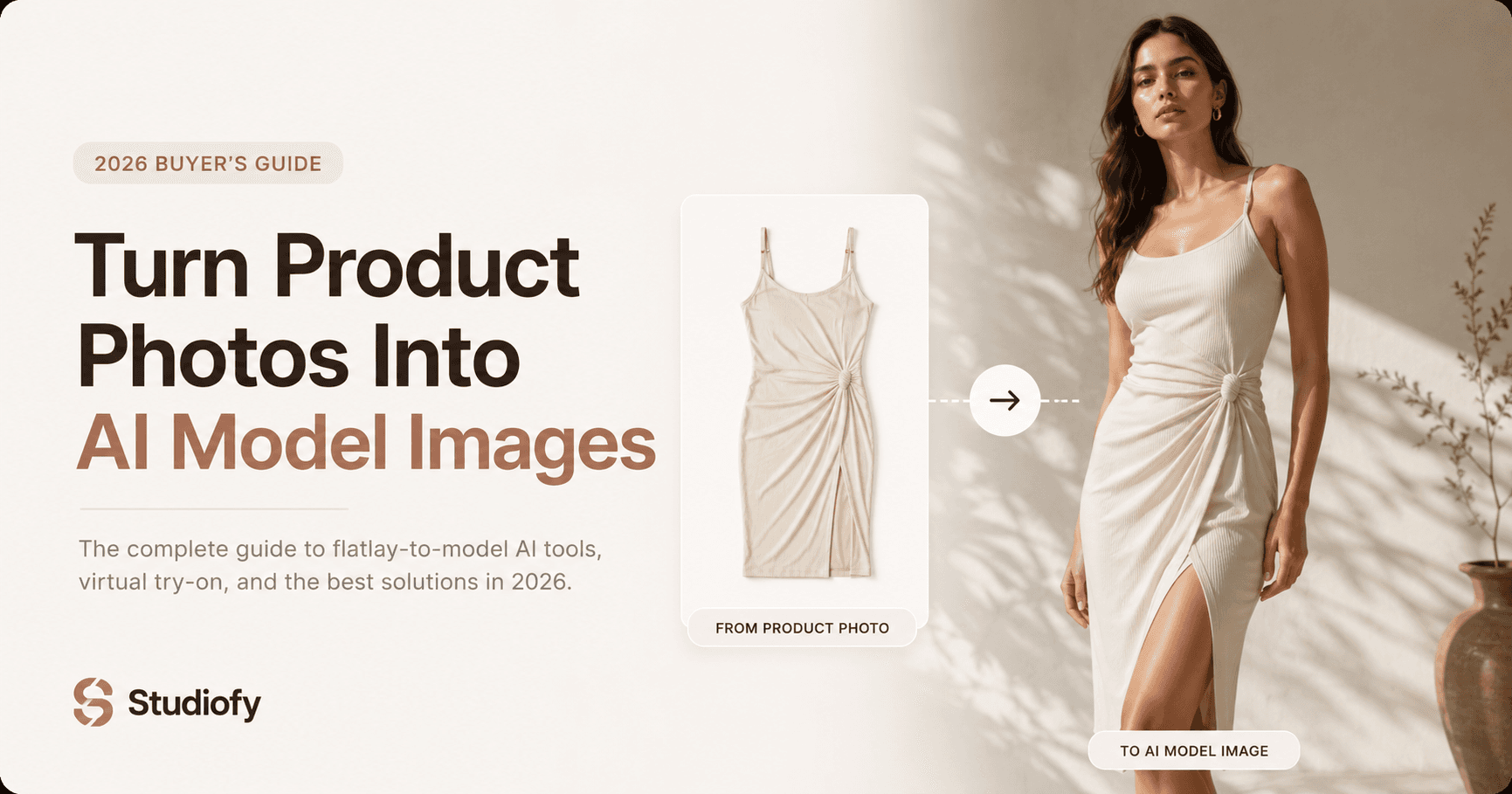
Every fashion ecommerce seller has product photos. Most don't have model photos — because model photos traditionally required a model, a photographer, a studio or location, and a budget that put professional on-model imagery out of reach for most small and growing fashion businesses.
In 2026, that gap has closed. AI model photography tools turn existing product photographs — flat lays, hanger shots, mannequin images — into photorealistic on-model images in seconds. This guide explains how the technology works, how to evaluate tools, and how to use AI model photography to upgrade every listing in your catalog.
FEATURED SNIPPET
How do you turn a flat lay photo into an on-model image?
Upload your flat lay product photo to an AI fashion model generator like Studiofy. Choose a model appearance, pose, and contextual setting appropriate to your product and target buyer. The AI generates a photorealistic image of the garment worn by a realistic model from your product photo — in seconds, without any additional photography, model, studio, or editing. Download the generated image and use it in your marketplace listing, Shopify store, or social media content. The same workflow works for hanger shots, ghost mannequin images, and mannequin photos.
How Product-to-Model AI Photography Works
Product-to-model AI photography uses deep learning models — specifically generative AI architectures trained on large datasets of professional fashion photography — to understand a product photograph and generate a new image showing that product worn on a human model.
The process: (1) The AI analyses the uploaded product photograph — identifying the garment type, material, colour, pattern, structural elements, and key design features. (2) The AI generates a model figure appropriate to the selected preferences, in the chosen pose and contextual setting. (3) The AI places the product on the generated model, ensuring accurate product representation — preserving colour, pattern, and structural design in the worn position. (4) The AI renders the complete image — model, product, background — as a photorealistic composite that appears to be a studio-quality fashion photograph.
What to Look for When Evaluating AI Model Photography Tools
Product fidelity — The most critical factor. The generated model image must show your actual product — the same colour, the same pattern, the same structural elements. Test any tool with your most distinctive products before committing.
Model realism — The model should look genuinely human — realistic skin texture, natural pose, believable proportions. Obviously artificial models undermine buyer confidence.
Input flexibility — The tool should accept flat lays, hanger shots, ghost mannequin images, and mannequin photos — not just one specific input format.
Category coverage — If you sell across multiple categories — clothing, footwear, bags, jewellery — the tool should handle all categories well, not just one.
Ease of use — A tool that requires technical skill or significant configuration time adds friction that accumulates across large catalogs. The best tools are genuinely simple to use on a phone.
Platform — A mobile app allows you to generate images immediately when products arrive — the same day you photograph them — rather than waiting to access a desktop workflow.
The Step-by-Step Workflow for Turning Product Photos Into Model Images
Build Your Product Photography Foundation
Set up a simple home photography workflow — window light, white background, tripod — to produce clean, well-lit product photographs as your AI input. Consistent input photography produces consistent AI output quality.
Define Your Brand Model Preferences
In Studiofy, define the model appearance preferences that align with your brand's visual identity and target market. Apply these consistently across your catalog for a coherent brand look.
Generate On-Model Images for Every SKU
Upload each product photo to Studiofy. Generate at minimum one on-model image per SKU — your standard model preference. Generate additional variations (different poses, backgrounds) for hero products.
Verify Product Fidelity
Check each generated image against the actual product. Verify colour accuracy, pattern representation, and structural design accuracy. Regenerate any image that misrepresents the product.
Integrate Into Listing Strategy
Use the AI model image as a secondary listing image alongside your white background or catalog primary image. Use it as primary content for Instagram, TikTok, and Shopify product pages.
AI Model Photography Across Product Categories
Common Mistakes When Turning Product Photos Into Model Images
Not checking generated images for product accuracy — AI tools are not perfect. Always verify that the generated image accurately represents your product's colour, pattern, and design before publishing to a listing. An inaccurate model image that misrepresents the product creates buyer misexpectations that lead to returns.
Using a very poor-quality input photo — The quality of the AI output is dependent on the quality of the input. A heavily shadowed, blurry, or heavily colour-cast input photo produces lower-quality generated images. Invest in basic good-quality input photography — even simple window light flat lay is adequate.
Generating only one image per product — AI model photography's key advantage over traditional photography is the ability to generate multiple variations from the same product photo at no additional cost. Generate 2 to 3 variations — different poses, different backgrounds — and A/B test which converts best in your listings.