
Turn a flat lay into an on-model photo
Lay the garment flat, take one photo, and Studiofy puts it on a model in a real setting. The print, colour and shape stay as you shot them.
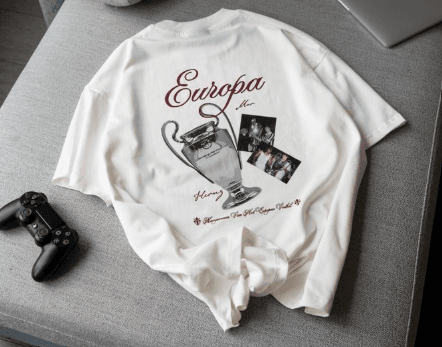 Your photo
 Studiofy
Why it works
Shoppers buy what they can picture
A model shows fit, length and drape, which a flat lay can't. It also gives you images for ads and social posts.
No model, no studio, no booking
Shoot new stock the day it arrives and list it the same day, without waiting for a shoot.
Front or back
Tell Studiofy which side you photographed, so back prints like the one above end up on the model's back.
Settings you can choose
| Model age | Toddler, young child, teenager, young adult, adult or senior |
| Model | Female, male, unisex, or no model (product only) |
| Skin tone | Fair, medium, olive or dark |
| Garment side | Front or back |
| Style | Studio, lifestyle, luxury, outdoor or minimal |
Or skip the settings and describe the scene in your own words.
Questions, answered
How do I take a good flat lay photo?
Lay the garment on a plain surface, smooth out creases, and shoot from straight above in even daylight. Keep the whole garment in frame.
Will the print or logo change?
Studiofy tells the AI to keep the colour, print, shape and logo exactly as photographed. Tiny text can still drift, so check it before you publish.
Can I use the same model across my catalogue?
Yes. Pick a house model in the photo shoot settings to keep the same face across products.
Try it on your product
10 free credits when you sign up. No card needed.
Try Studiofy free